Artificial intelligence can do two very different things to your production in Ableton. It can speed you up, get you out of blocks and help you learn faster. Or it can turn your tracks into something generic you no longer recognize as yours.
The difference isn't in the tool. It's in how you use it.
I've been producing for three years and writing software for many more, and I built an AI copilot precisely to resolve this tension. So this guide isn't theory: it's what I learned using AI in my own session, getting it wrong plenty, until I found the balance. It holds whether you use Deloy or any other tool.
First, the rule that orders everything else
Before any technique, there's a principle worth keeping clear, because everything else follows from it:
You direct, AI assists. Never the other way around.
It sounds obvious, but it's exactly what most people get wrong. When you let AI make the big creative decisions —the idea, the direction, the "what do I want this to be"— and you just pick from what it offers, you stopped being the author. You became a curator of someone else's results.
The healthy way is the reverse: you have the intention, AI helps you execute it faster and better. You decide the drop has to feel emptier and tenser; AI helps you get there. Not the other way around.
With that rule in mind, let's get concrete.
The four useful ways to use AI in Ableton
Not all AI assistance is equal. In practice, there are four uses that respect your creative control and genuinely add value.
1. Getting out of blocks. The most frustrating moment of producing is the blank page, or the track at 70% you don't know how to finish. Here AI is excellent: asking it for variation ideas, possible directions for a bridge, ways to fill an arrangement that feels empty. Not so it decides for you, but to have options on the table and choose.
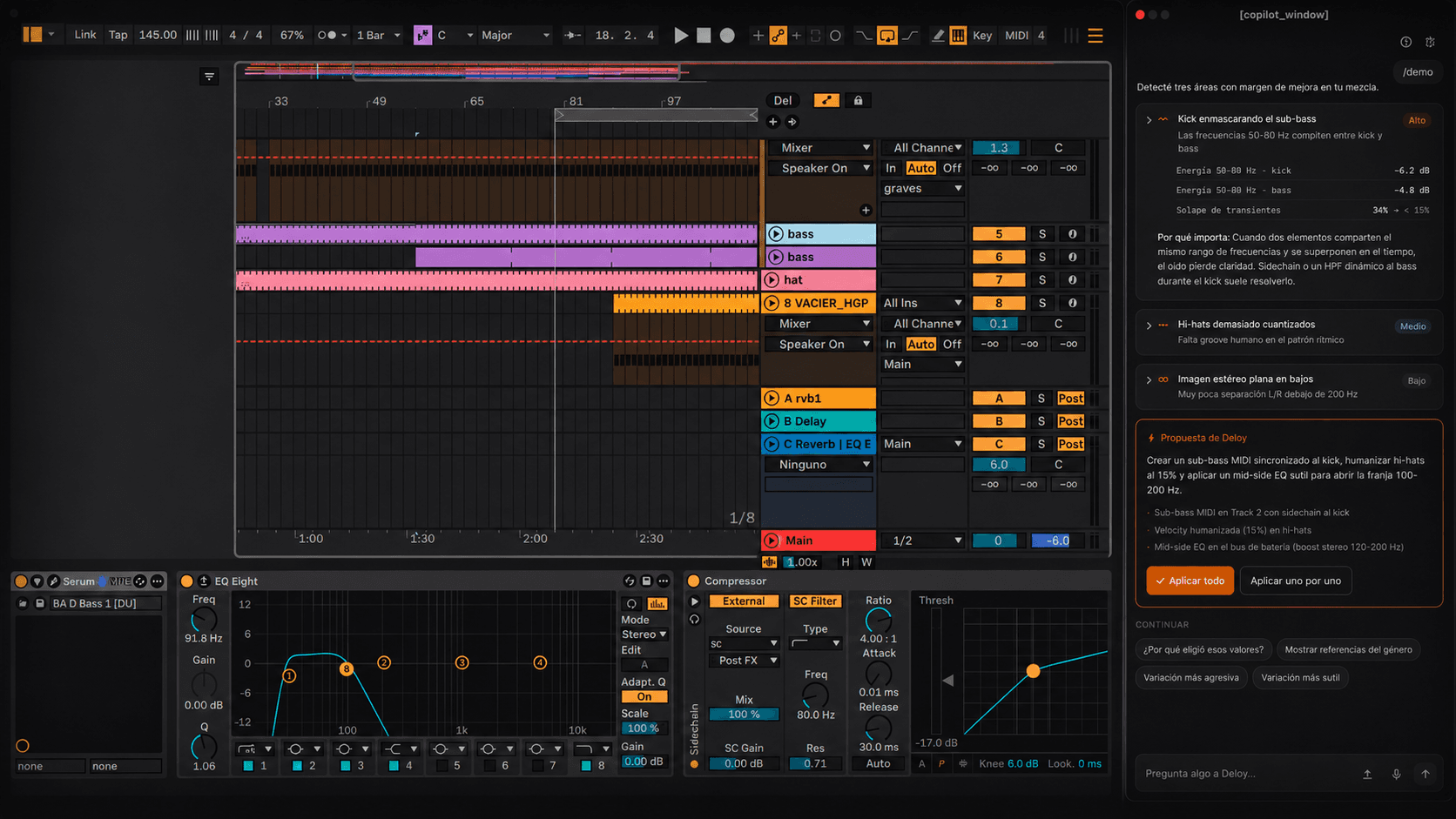
2. Technical tasks that slow you down. There's work in production that isn't creative, it's mechanical: matching levels, identifying what's masking what in the mix, cleaning up clashing frequencies. AI can point these out in seconds and leave you the mental energy for what does matter.
3. Learning while you produce. This is, for me, the most underrated one. When something doesn't sound right and you don't know why, an AI that understands your session can explain what's happening. That accelerates your learning in a way no tutorial achieves, because it's about your music, in your context.
4. Speeding up what you already decided. When you already know what you want, translating it into the session takes time. Here AI executes what you directed, and you approve or adjust. Your vision, its speed.
The mistakes that make you lose control
Just as important is knowing what to avoid. These are the three mistakes I saw over and over, in myself and in others.
Mistake 1: delegating the idea, not the execution. Asking an AI to "make me a melodic techno track" and keeping whatever comes out. That's not producing with AI, it's commissioning music. If there was no intention of yours directing it, the result isn't really yours, neither creatively nor legally.
Mistake 2: accepting everything without really listening. AI proposes something, it sounds "fine", you accept it, you move on. Ten decisions like that and your track is an average of suggestions you never questioned. Every AI proposal is a question, not an order. The right answer is sometimes "no".
Mistake 3: not keeping a record of what AI touched. This is the quietest and the most expensive in the long run. If in six months you can't say which parts of your track were yours and which were assisted, you have a problem, and not just a philosophical one. As I explained in another post, demonstrable authorship is becoming a real requirement to distribute and monetize. Knowing what you did isn't a luxury.
A concrete workflow that works
To make it tangible, here's how I use AI in a typical session, start to finish:
I always start with a human intention. An idea, a reference, a feeling I want to achieve. AI doesn't kick off the project; I do.
When I get stuck, I ask for options, not solutions. "Give me three directions for this bridge", and I pick one, or none, and combine. The options are material for my decision, not the decision.
For the technical stuff, I let AI detect and propose, but I listen before applying. If it tells me there's a frequency clash between the bass and the kick, I check it with my ears before accepting the adjustment.
And everything AI touches gets recorded. In my case this is automatic with Deloy, but even if you use another tool you can do it by hand: a marked group of tracks, a note in the project, whatever. The point is being able to look at your track later and know exactly who did what.
Why I built Deloy around this
I'll tell you transparently, because it's relevant to the topic: everything above is exactly the problem that led me to build Deloy.
I wanted a copilot that lived inside Ableton —without pulling me out to another app, without breaking my flow— that respected these rules by design. That assisted me without taking my decisions. That proposed and waited for my yes. And that left a record of everything it touched, so my authorship was never in doubt.
You don't have to use Deloy to apply what's in this guide. But if the idea of an AI that assists you without taking away your control resonates, that's exactly the intention I built it with.
In short
AI in Ableton is neither good nor bad in itself. It's a powerful tool that amplifies what you already bring. If you come in with intention and use it to execute your vision, it'll make you better and faster. If you come in without intention and let it decide, it'll give you music that isn't yours.
You direct. AI assists. Keep that rule and everything else falls into place.
— Cristian